
Reports and the report workbench
Search, review, export, share, and act on candidate debrief reports.
Open a report when you need to review why a candidate aligns with a specific role. Workspace members, including Viewers, can read reports; changing, sharing, or deleting them depends on role and ownership.
Review a report from start to finish
- Open Reports, find the candidate, and confirm the job description and analysis date.
- Check whether the analysis is completed, still processing, failed, or awaiting mismatch review.
- Resolve identity or source-document discrepancies before using the result.
- Read the score's source label, reasoning, requirement evidence, and gaps together.
- Review interview evidence when available, then record your team's next step outside the generated assessment.
- Share only the required sections or export the current review packet when appropriate.
A missing result is not a negative assessment. Refresh a processing report; inspect the visible failure or mismatch action if work is paused.
Reports workspace
The Reports page is your workspace's candidate-debrief library. Search by candidate, email, role, or job-description text, narrow the list by resume fit, and group reports by candidate or job. Sort by Newest first, Oldest first, Highest resume fit, or Lowest resume fit; grouped views start with the highest-scoring group. Resumes held back for a role mismatch are not listed under a fit band. Loading more results keeps the current search, filters, and sort, and the sort is kept in the page address so a shared or reloaded link opens the same view.
Use Cards or Table above the list to choose how reports are shown on a larger screen; ProBB AI remembers your choice for next time, and phones always show cards. When reports are grouped, each candidate or job appears as a stack: open it to lay its reports out in place, and close it (or press Escape) to gather them back.
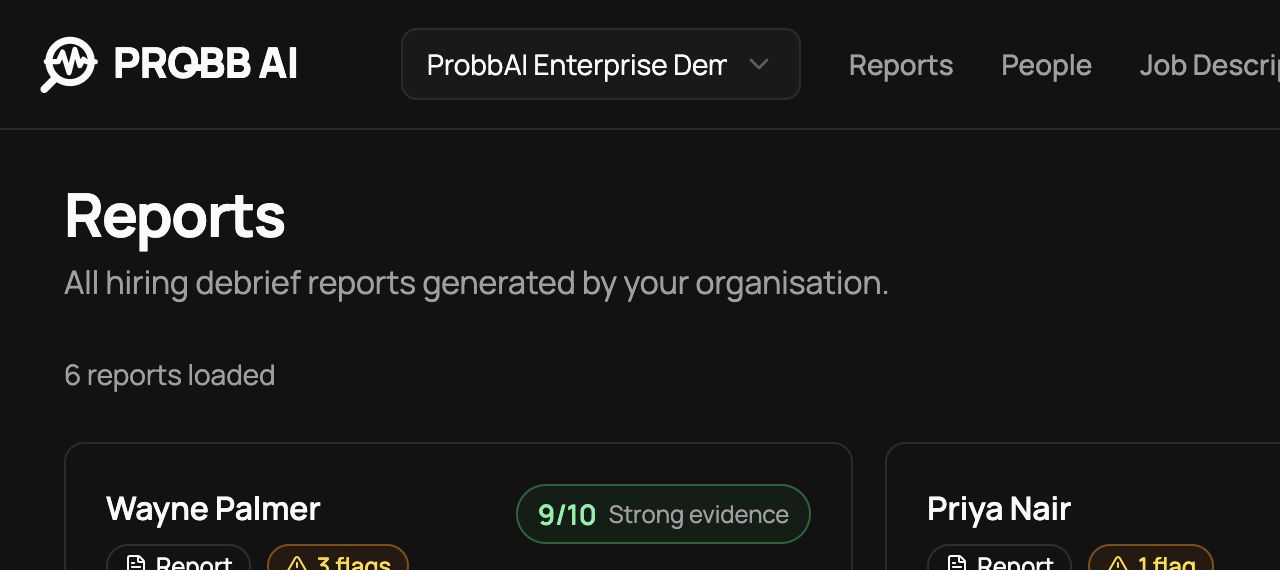
Each report card surfaces the candidate, current assessment score, score stage, role context, candidate risks, data-integrity alerts, compliance exclusions, analysis date, and interview summary. Before a usable interview is complete, the score is labelled Resume–JD provisional. After interview evidence is rated, it becomes an Overall evidence score. Open a card for the full workbench. Users with delete permission can remove a report after reviewing its confirmation message.
Report deletion is available to the report creator and organisation Admins. Deleting a report also removes its active public share link; related candidate or job-description records may remain.
Work with several reports
Members and Admins can select reports with the checkbox on each card or table row. In a grouped view, the checkbox beside a group selects every report in that group. A selection bar shows how many reports are selected and the actions available:
- Select all adds every report matching the current search and filters, up to 100.
- Invite sends AI interview invitations for up to 20 selected reports. ProBB AI checks the selection first and skips reports that already have an interview, have no candidate email, were stopped by the job mismatch check, or are still being analysed. Reports with an existing interview are never re-invited from a bulk action. In credit workspaces, ProBB AI asks you to confirm the cost first only when your balance can’t cover it or would run low afterwards.
- Export downloads the selected reports as a CSV file.
- Delete removes the selected reports after you type the confirmation text shown. Every selected report must be one you are allowed to delete; if it is not, the bar offers to deselect those reports.
Changing the search, filters, sort, or grouping clears the selection so an action never applies to reports you can no longer see.
Export reports to CSV
Choose Export CSV above the list to download every report matching the current search, filters, and sort, or use Export in the selection bar for only the selected reports. The file includes the candidate, contact email, current role, job, company, displayed score and its source, the Resume–JD score, assessment stage, interview status and decision, creator, creation date, and a link to the report. Viewers can export as well.
A single export includes up to 5,000 reports. When more match, the first 5,000 in the current sort are exported and ProBB AI tells you how many matched; narrow the filters to export the rest. Each export is recorded in organisation activity.
Overview tab
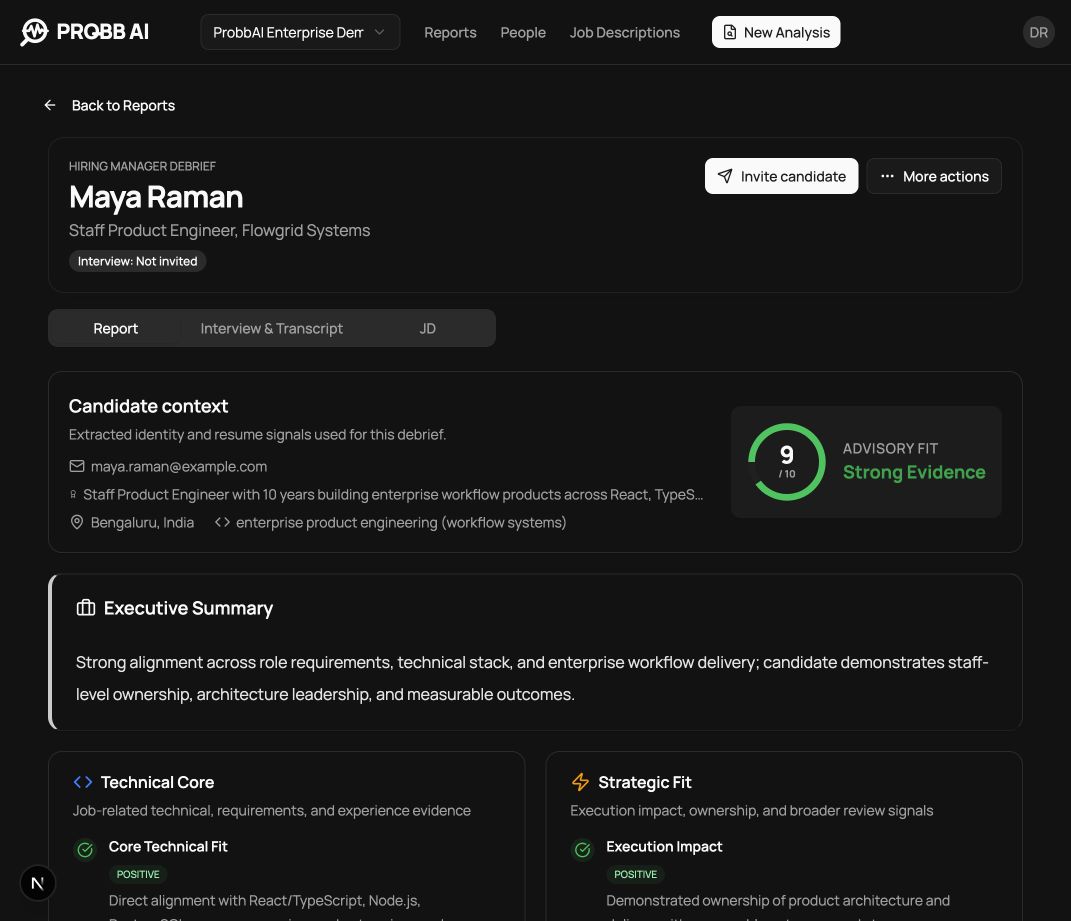
The report workbench keeps the analysis and source context in one record. Depending on the available evidence, the report includes:
- candidate and role summary;
- a provisional Resume–JD score or final overall evidence score, with explicit source and stage labels;
- a resume-versus-interview evidence matrix that shows where interview evidence corroborates, strengthens, weakens, or contradicts resume evidence;
- seniority assessment;
- core requirement and advanced-capability evidence;
- strengths and candidate-related risks;
- a separate high-priority data-integrity section for name, email, profile, or document mismatches;
- a separate compliance section for protected or otherwise excluded job-description criteria;
- hiring-manager deep-dive and clarification prompts;
- the generated AI interview question bank.
Job description tab
When a saved job description is attached, the Job Description tab shows the exact reference text used for the analysis. Use it to verify that report conclusions align with the original brief.
Actions
From the report header and action menu, authorised users can:
- download the candidate's original resume;
- download a PDF of the review packet;
- create or manage a read-only share link;
- invite the candidate to an interview;
- copy invitation details where available;
- return to the report list or delete the report.
Interview actions change with the session state. See Interviews for the lifecycle.
When several reports use the same saved role, use Compare candidates to organise their trade-offs. See Share and export reports before sending candidate information outside the workspace.